I use Procreate and Krita at the moment.
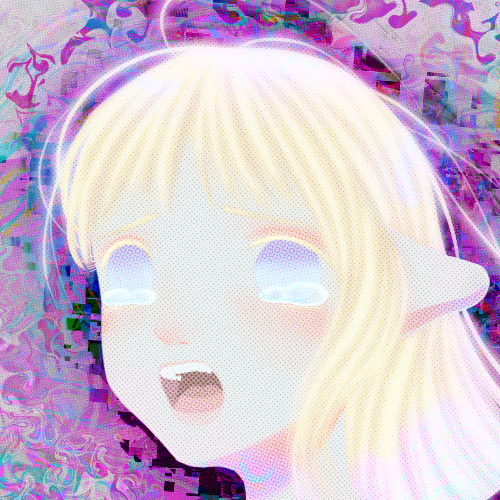
This was just a test drawing. My skill is diminished because I am trying to get used to drawing upright rather than flat as I am used to. This was don’t on a Chuwi Ubook (Microsoft Surface knockoff). When I use my laptop, I have a huion drawing tablet that I plug in. It is much easier than this upright tablet. Any tips for comfortability when drawing on upright surfaces?
You’ve probably seen it, but David Revoy is an artist that uses Krita and makes videos on the subject.
Thank you.
This guy is a Krita legend. He even designed the default Krita brush set!
Thats some nice hatching. Looks good.
I draw with Krita as well. My tablet is on a stand that tilts it upright. I think it just takes a couple of days of drawing to get used to drawing upright, as long as your arm is at a comfortable height. Are you sitting in a chair with an adjustable armrest? I find it helpful to set the height of my armrest to where its comfortable to rest my elbow on it and reach the tablet, as well as adjusting the angle of my stand to line up to where my arm kinda naturally wants to fall in that position.
I will try that, thank you!
Any tips for comfortability when drawing on upright surfaces?
Why is it upright in the first place? Lay that shit down flat!
Imas I stated it is a MS surface knock off meaning it has a keyboard I need to use for shortcuts. I can’t keep the keyboard on it while flattening it. I could do away with the keyboard but that would mean all the features I use shortcuts for I would have to find the menu equivalent. So much hassle. I want to learn to work on an upright canvas like a painter on an easel.
Can it connect to a third party bluetooth keyboard?
That’s an idea.
I used to use Krita on a Microsoft Surface Pro with the keyboard off. If you’re willing to dedicate time to tuning your configuration, Krita will let you customize the toolbars to have the action buttons you want. There are also some touchscreen-specific gestures you can do. I think you tap two fingers to undo? It’s been a while since I used Krita on a touchscreen.
Yea I will try that .
I was gonna say the same thing, lay the tablet down!
Even with a surface knockoff you should be able to plug in stuff. Even if it literally only has a USB-C charging port and runs Android, you can still get a USB-C to A adapter for ~$10 and a cheap USB keyboard for about the same price. That’ll work on PC too. Basically if there’s a port on the thing there’s a way to get an external keyboard plugged in.
I use my PC mirrored to my tablet. So I can run paint tool sai because it’s the greatest art program that has ever existed.
It can do smoothing of lines and has a lot of functions like Photoshop basics.
My tablet is Samsung tab 6.
Has pressure sensitivity.
I run an app called “super display virtual monitor”. It was a one time purchase of like $20 and has full support for the s-pen. No subscription. No ads. It just works.
It supports other pens / stylus on other tablets. You will have to check if yours is supported
Best $20 I ever spent. I can lay on my sofa and work on paint tool sai on the tablet.
Of course like with most good software , keyboard shortcuts are essential. So I just keep my wireless keyboard on my lap.
You can get paint tool sai for free if you want. Just search how to on YouTube. There is a pirated copy floating around for the last 10 years.
Otherwise you can buy it legitimately.
It requires windows.
I do believe it was developed and is owned by a company in Japan.
https://www.systemax.jp/en/sai/
Here is a speed painting to see how it goes. https://youtu.be/2Q5XR1cJKkY?is=pQUtiF5wR3Ev_u6e
Why is it the best?
The paint and the line drawing.
Firstly the painting works like real paint. I’ve never found any other program that comes close to how perfect this works in PT sai.
It’s intuitive. It just always works like how you want. With plenty of settings to tweak. It makes everything have a creamy look. Like how oil paints work.
But you can also get a very realistic watercolor effect too.
And the line drawing tool is wonderful.
As someone who doesn’t have a super steady drawing hand, I use this program to make my lines look smooth and even.
There probably are other programs that can do that but it works perfect in sai and add the paint ability and it’s no comparison.
Paint tool sai cant be beat.
The main program I am good at is Procreate.It has streamlining and a stabilizer which is specific to each brush.the blending is what I like the most. You can smudge with any tool. I have never used a paid program except if you want real paint physics and gravity, there is a program I used to have for about 80 bucks called Rebelle. It is a unique program that lets paint run and watercolor bleed. It is really the most realistic painting app. Though I never got the hang of it and ended up abandoning it on one of my old devices.
Those sound pretty cool. Ill check them out. Maybe there is a rebelle demo or something
There is probably a free trial. Usually there is. Check it out.
I use an assortment of programs depending entirely on my vibes for the day:
Procreate, Paint Tool Sai, Clip Studio Paint MS Paint (Classic version), Gimp, Flipnote, Minecraft mod Joy of Painting, Vintage Story mod Vintage Canvas.
For the upright tablet situation maybe try adjusting the angle if possible with a stand? I can’t do certain steep angles at all without causing discomfort.
Krita rocks!
I like to put my tablet on an old fashioned wooden easel. The angle is easy to adjust that way! Krita all the way
Right now I am getting over the learning curve of Krita. I used to be a power user, but it has been a long time so I have to reteach myself the shortcuts. The angle of my tablet when it is upright is that of the diagonal easel. It’s practically the same angle. My arm just gets tired. Lol. I rest it on a wrist rest at my mom’s place at the moment.
my art professor gave me the advice to work out outside of art. he boxes. i bike and swim and am getting into lifting. your arm will not get tired once you get fit enough, don’t worry. Krita def has a learning curve, but I guess so does every software. you can customize your shortcuts to be what you’re used to!
I use Krita and Procreate too! Interestingly I had the opposite problem, as I was more used to using Procreate on an upright iPad…
When I was getting used to the iPad, I thought of the tablet as a sort of paper. Having a stand or putting it on a flat surface (whatever you’re most used to) helps you getting used to the shape of the tablet.
I use krita on a surface pro that runs arch. I just lay it down on the desk